Overview
This document details how to view prospect plans, steps, and opportunities in the Donor & Alumni Relationship Tool (DART).
You must have the DART Development View role to perform this task. For more information about roles and security, refer to the DART Training Courses page on the DART Education and Training website.
Important Information
- To view a prospect, you must Search for a Prospect.
Major Giving Prospect Page
- Click the Plans sub-tab under the Prospect tab on the Constituent record.
- Click the Plan name you wish to view.
Note: A summary of all current plans show up together on the plans tab.
Prospect Plan Banner
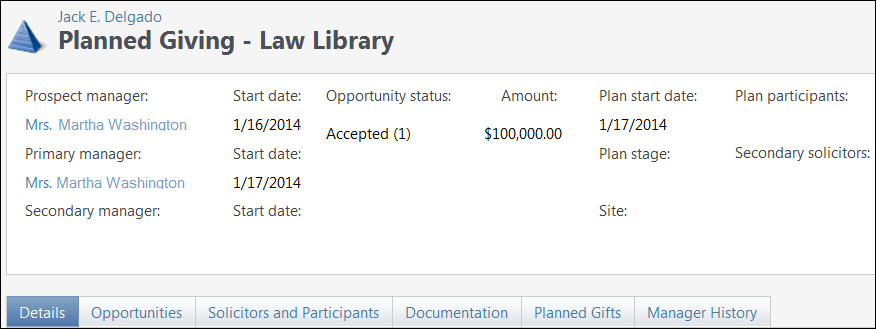
The Prospect Plan Banner provides a brief overview of the plan.
| Field/Button | Description |
|---|---|
| Managers section | Names of current prospect manager, primary plan manager, and secondary plan manager. |
| Start dates | Indicates the dates on which each individual was assigned to the prospect or plan. |
| Plan name | The name given to a plan. |
| Opportunity status | Unqualified, qualified, response pending, accepted, rejected, or cancelled. |
| Amount | The gift amount. |
| Plan start date | Indicates the date on which the plan was started. |
| Plan stage | Indicates the current plan stage of the gift lifecycle: identification, qualification, cultivation, solicitation, or stewardship. |
| Site | Indicates the school, college, or unit that the plan will benefit. |
| Plan participants | Lists any non-fundraisers who are participating in the plan. |
| Secondary solicitors | Lists any additional fundraisers assigned to the plan. |
Details Tab
Displays a description of the plan and a list of all plan steps.

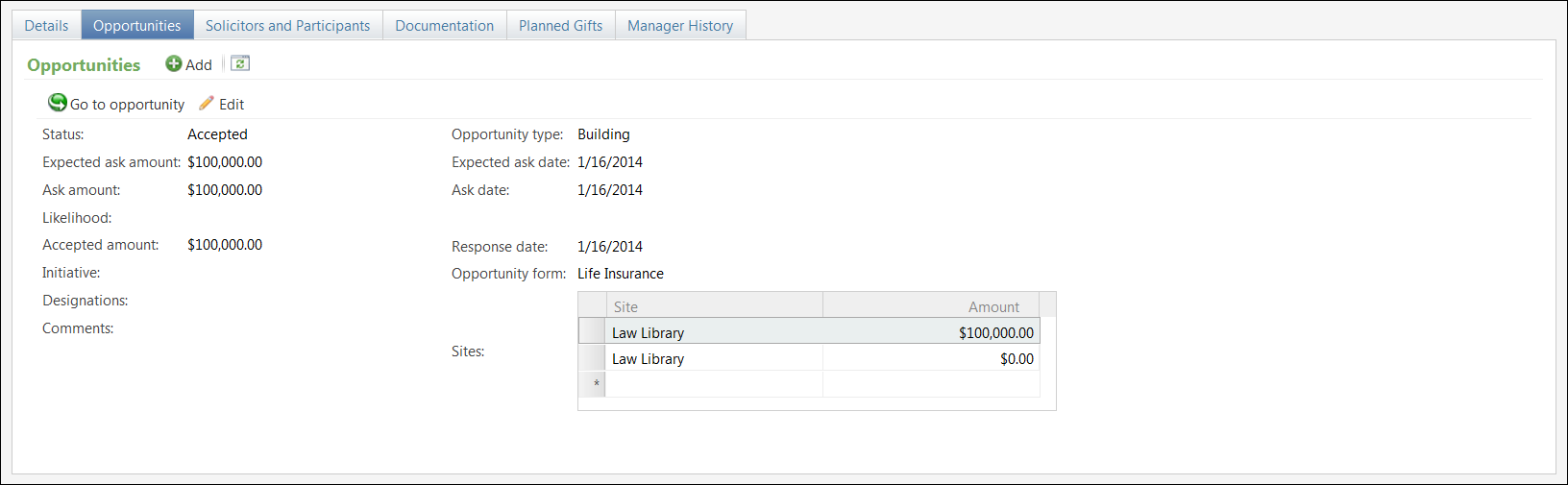
Opportunities Tab
Displays an overview of a giving opportunity (ask) that is prepared and presented to a prospect.
Solicitors and Participants Tab
Displays a list of individuals involved in the plan besides the managers, including their roles and dates of involvement.

Documentation Tab
Provides links to WebNow and lists other media links and attachments.

Planned Gifts Tab
Displays any planned gifts associated with the plan.

Manager History Tab
Displays the names of all individuals who have been involved in managing the prospect or plan, their respective roles, and their start and end dates.
