Overview
This document details how to search for a prospect in the Donor & Alumni Relationship Tool (DART).
You must have the DART Development View role to perform this task. For more information about roles and security, refer to the DART Training Courses page on the DART Education and Training website.
Important Information
- All prospects in DART are called major giving prospects regardless of their ratings or giving history.
- A constituent must be a qualified U-M prospect to appear in this search. If you are unsure of the qualification, you can begin with a general Constituent Search.
Step-by-Step Process
- Click the Prospects drop-down arrow.
- Click Search major giving prospects.
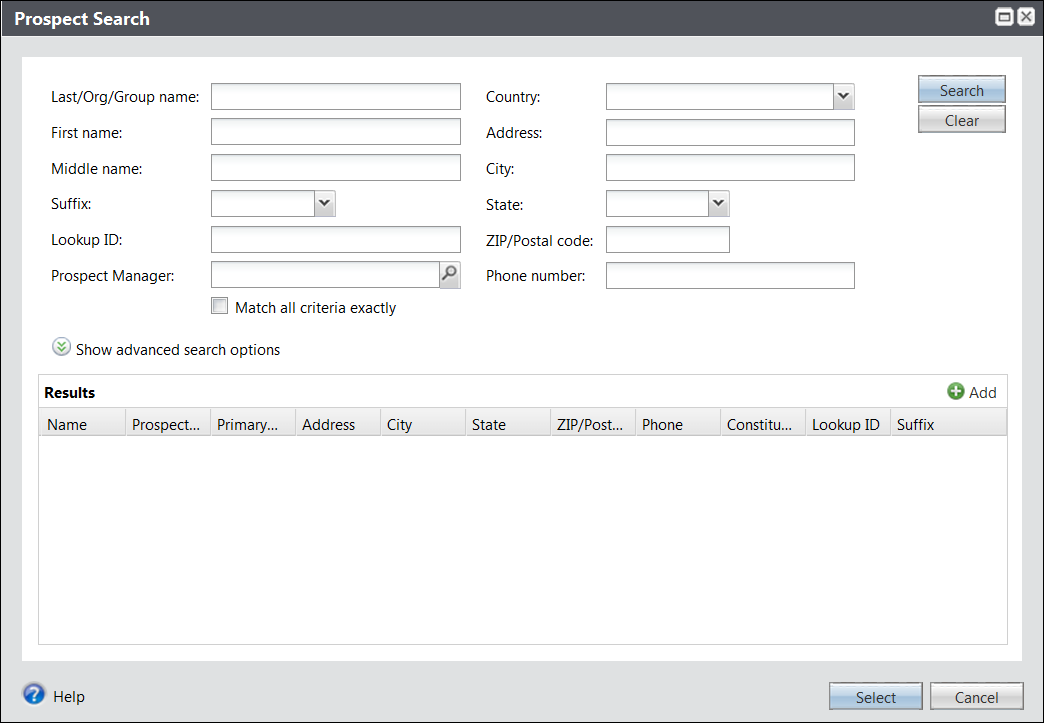
- Enter Last/Group name and any other search criteria known for the prospect.
- Entering more search criteria will help narrow the search.
- Although this search screen looks very similar to the Constituent Search, it contains slightly different search criteria. Most notably it includes a way to search for prospects by Prospect Manager.
- Click Search.
- Click the desired record in the Results section.
- Click on the various tabs to view different parts of a prospect’s record including Plans, Prospect Team, and Funding Interests. See View a Prospect for detailed information.
Notes:
Note: Only the first 150 search results display.
Note: The Constituent page opens to the Prospect tab.
Note: Using the major giving prospect search instead of a constituent search provides the advantage of only returning qualified U-M prospects in the results, as well as the direct navigation to the Major Giving Prospect page.