General Announcements
Peak M-Pathways System Usage Beginning of Fall Term
The beginning of a new academic year is always a time of heavy system usage. The peak period during which students drop and add classes is anticipated to begin on Monday, August 31 and continue through the drop/add deadline on Monday, September 21.
Enroll/Update UM Emergency Alerts in Wolverine Access
U-M Emergency Alert numbers are used solely in the case of a campuswide alert. Examples of situations where a notification may be sent are a tornado warning, potential life threatening incident, hazardous spill, campus emergency, or weather-related class cancellations. For additional details on the UM Emergency Alert service, see the U-M Emergency Alert page.
Student Administration
Assisting Students? View Student Business Help Pages
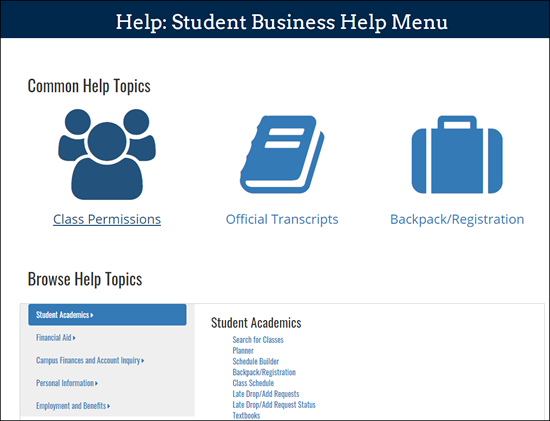
The Student Business, Student Center is a primary resource for academic, financial, and personal transactions. When assisting students, you can view the associated Student Business Help pages that contain documentation, simulations, and videos for many student transactions.
In Student Business, the Help link on the Student Center page opens this menu. Specific transaction help is linked from other Student Business pages. You can also find a link to the help pages in My LINC by searching on keyword 'Student Business Help'.
Assisting Faculty? View Faculty Business Help Pages
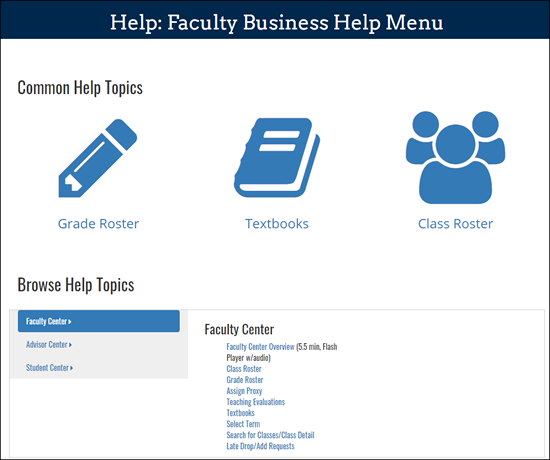
The Faculty Business Help pages contain documentation and simulations for many teaching and advising related transactions.
In Faculty Business, the Help link on the Faculty Center page opens this menu. Specific transaction help is linked from other Faculty Business pages. You can also find a link to the Help pages in My LINC by searching on keyword 'Faculty Business Help'.
Safe Computing
Trending phishing scams - Party invitation, Microsoft 365 authentication phish, and “Court Update”
Beware of trending phishing scams designed to trick you into downloading dangerous files:
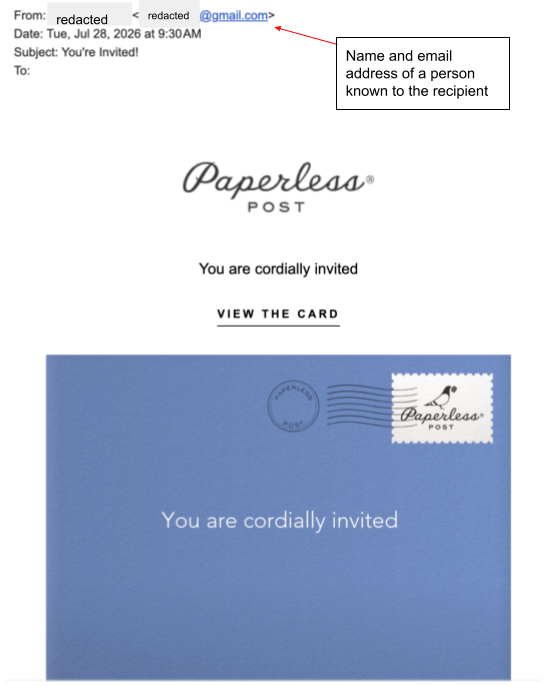
- You're Invited!: An party invitation email from someone you know (sent using a compromised email account) tries to get you to download and execute a dangerous file.
- Microsoft 365 authentication phish: An email about accessing a shared document tries to get you to copy and submit a verification code in MS365. If you submit the verification code, the fraudster gets ongoing access to your account.
- "Court Update": An email that has a link to a fraudulent website that tries to trick you into downloading software, giving the scammer access to your device.
What You Can Do
- If you receive an email with a shared document or invitation that you do not expect, do not click any buttons or links, even if it appears to be from someone you know or is sent using a familiar app or service. The email could have been sent using a compromised email account.
- Contact the sender, using a different email address or official contact information, to verify the legitimacy.
- If you have fallen for one of these scams, contact security@umich.edu.
- Keep your software and apps up to date.
For more information, see Phishing & Scams, Secure Your Devices, and Secure Your Internet Connection on the U-M Safe Computing website.
Wolverines Fight Phishing: Fake Job Offer and Football Ticket Scams
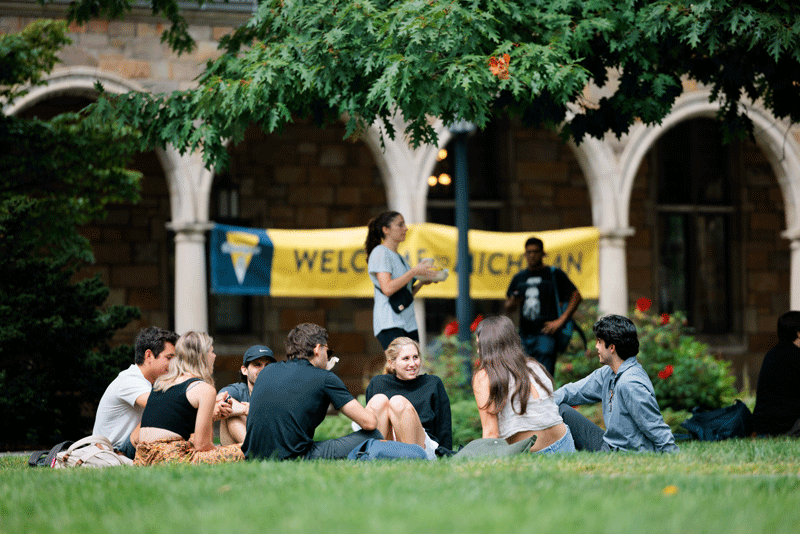
As students return to campus, fraudsters target them with fake job offers and football ticket scams. Wolverines can fight phishing by being on the lookout and learning how to avoid getting caught.
Scammers try to trick students into sharing their U-M login credentials, providing personal information, and/or making payments.
You can help students be victors by spreading awareness of these scams among those in your unit who support students.
Visit Safe Computing for Students to learn more about common scams and how to report them, including:
- Job Offer Scams - It starts with a job offer, but then they ask for a favor like acquiring gift cards or processing a check that turns out to be fake.
- Football Ticket Scams - Scammers impersonate U-M students on social media and get you to pay with a nonrefundable method, like Zelle, for nonexistent tickets.
Tips for those who receive a suspicious email or message:
- Don’t reply. Cut off contact.
- Don’t share login or personal info, or make payments.
- Don’t deposit checks sent via email or text.
- Forward the message to ReportPhish@umich.edu.
- If you gave your login information, change your password ASAP.
Together, Wolverines can fight phishing and scams.
Online Harassment and Abuse: What You Can Do to Limit Risk

It’s no secret— online harassment is a concern in our digital world, and members of the higher education community are increasingly subjected to in-person and online targeted abuse and attacks. The Safe Computing website offers steps individuals can take to protect themselves.
While anyone can be a target of malicious digital behavior, certain populations are at greater risk. In 2026, 27% of surveyed American women had experienced some form of online harassment, a 4% increase from the previous year. When sorted by occupation, women with “highly visible” careers, such as journalists or government officials, reported higher rates of online harassment, with 41% experiencing attacks, compared to those with lower visibility occupations.
Targeted attacks, such as doxing, can often be traced to the prevalence of personal information publicly accessible online. In the survey, 79% of participants believed online harassment is linked to the availability of this information.
Attacks Accelerated by AI
What’s more, AI can be a tool for attackers who exploit the Large Language Models to accelerate and spread harassment and increase the specificity of attacks. According to the National Association of Attorneys General, “Bot networks and algorithm-driven amplification can distribute doxxed content widely and repeatedly, increasing reputational risk and emotional distress for victims.”
Since new technological advancements bring new risks to personal online privacy, it’s crucial to know how to safeguard your digital experience.
What You Can Do
Follow the guidance on the Safe Computing website regarding how to Protect Yourself from Online Harassment and Practice Online Hygiene, including:
- Reducing personal information online.
- Controlling unwanted harmful interactions.
- Securing personal devices and accounts.
- Reporting harassment and getting support.
Visit these resources for faculty provided by the Provost’s Office:
- Responding to Threats and Harassment of Faculty
- Guide to Managing Threats and Harassment
- U-M Faculty Threats and Harassment Resources
View the recording of Privacy for Populations at Risk: Supporting Journalists Facing Online Attacks. Journalist and activist Elodie Vialle draws on real-world cases to explore practical responses to mitigate harm while safeguarding journalistic work and freedom of expression.
Don’t miss these resources and more on the Safe Computing website and share them with your community.